

Signup Process
Create your account in seconds using your work email. Verify your identity to unlock core features.
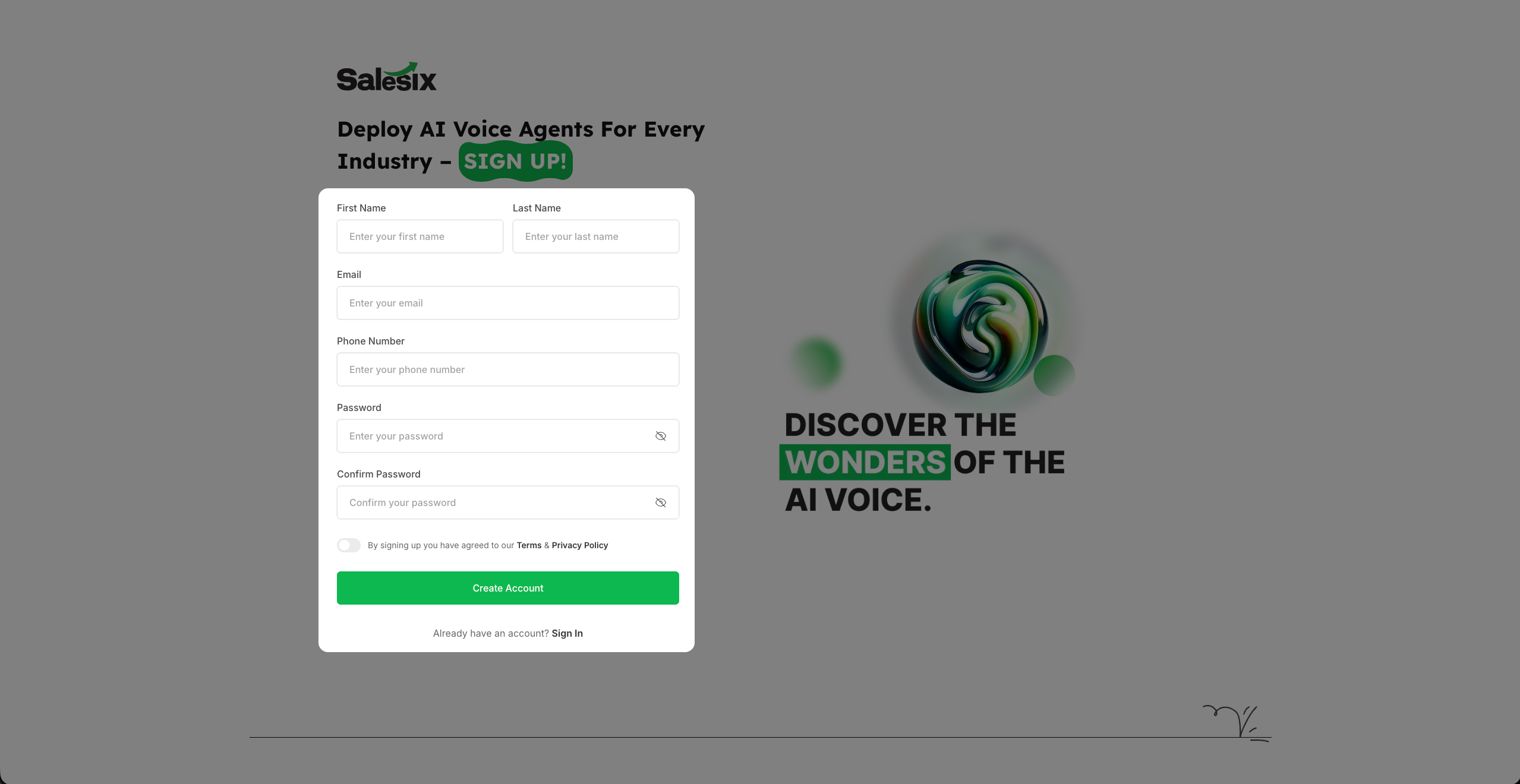
Account Signup Form
- 1
Enter your First Name and Last Name.
- 2
Provide your work email address for account verification.
- 3
Include your phone number for better customer support and account recovery.
- 4
Create a strong password (minimum 12 characters, including symbols and numbers).
- 5
Review our Terms & Conditions and Privacy Policy.
- 6
Check the agreement box to accept the terms.
- 7
Click Create Account to proceed to the email verification step.
Email Verification

- 1
Once you click Create Account, check your registered email inbox.
- 2
You will receive a unique verification code from Salesix.
- 3
Enter this 6-digit code on the verification screen.
- 4
Click Verify to complete your signup process and access your dashboard.
Summary
By following these steps, you have successfully created your Salesix account and verified your email. You are now ready to explore the dashboard and start building your AI voice agents.