

Create and Manage Campaigns
View, monitor, and manage all your voice automation campaigns from a single dashboard.
Campaign List & Management
- 1
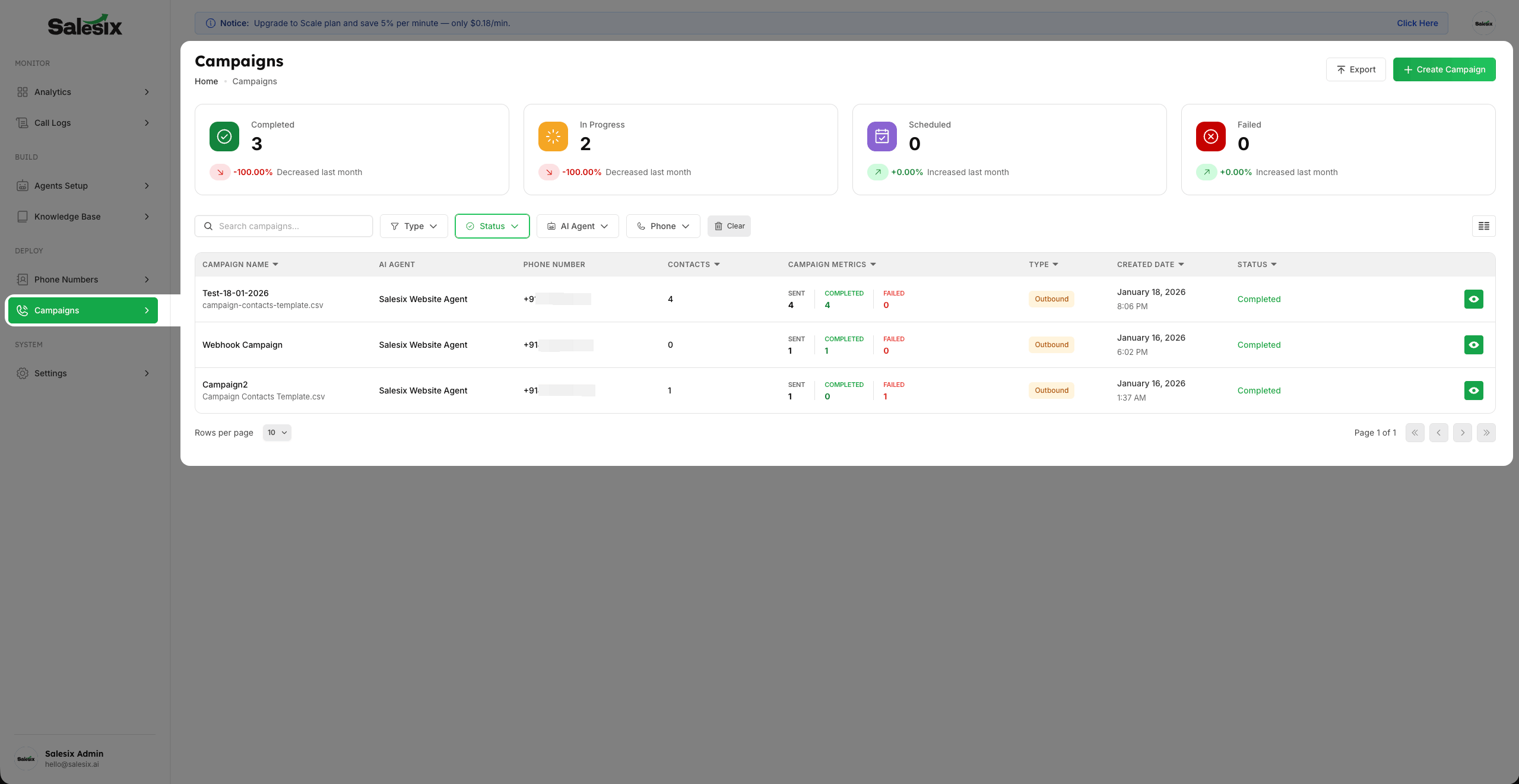
Access the List Campaigns view to see all your active and past operations in one place.
- 2
You can monitor the real-time status of each campaign and take Multiple Actions such as Stop, Pause, Resume, Edit, Delete, and Force Start.
- 3
Note that available actions like Resume or Force Start are dynamic and depend entirely on the current Status of the Campaign.
Initiating a New Campaign
- 1
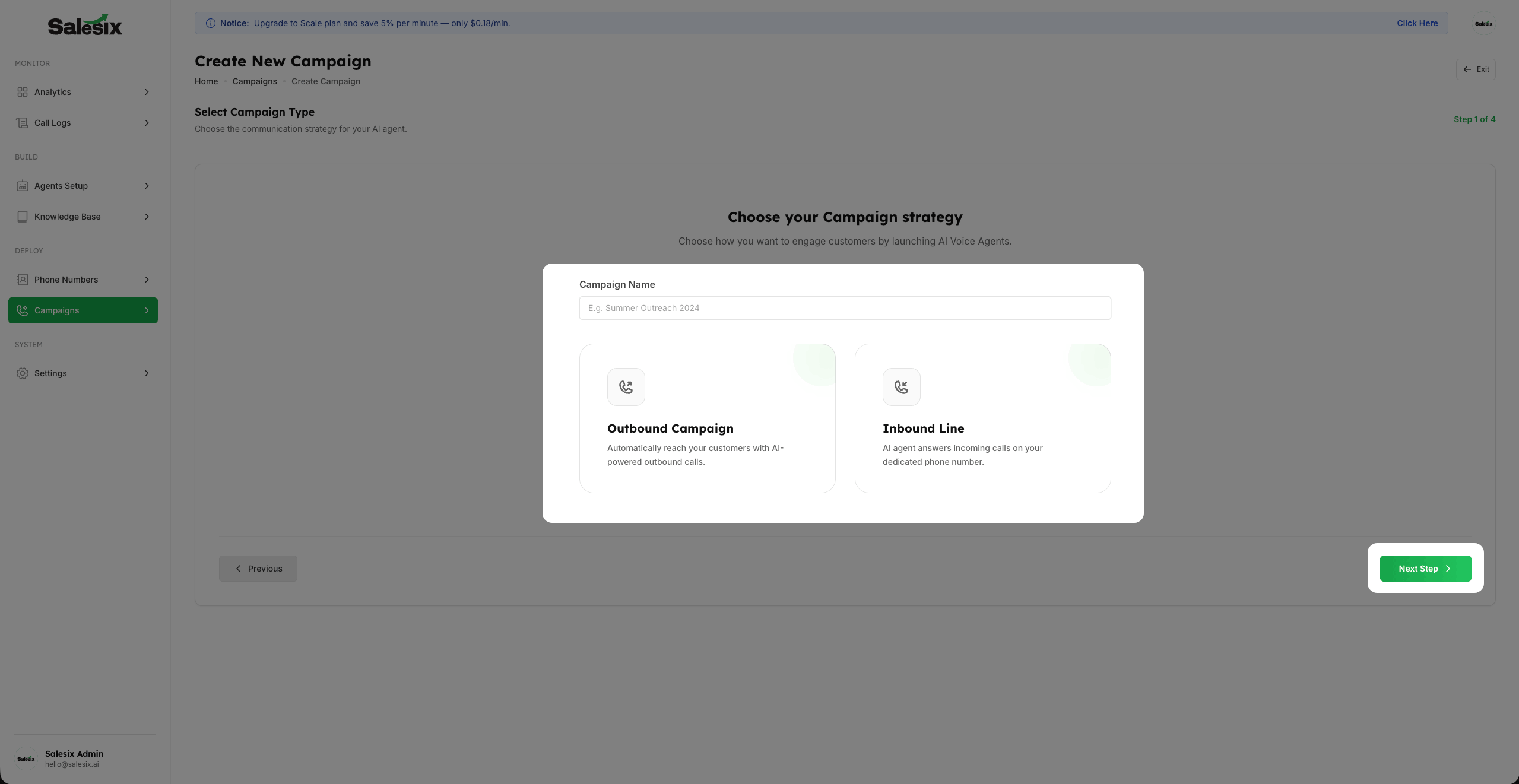
To start a new automation, click on the Create Campaign button located at the top of the dashboard.
- 2
This will open the selection screen where you can choose the campaign type that fits your specific workflow.
Summary
The Campaign Dashboard is your central hub for scaling voice operations. This allows you to monitor the lifecycle of your campaigns and take instant actions to ensure your voice automation is performing optimally.