

Create Outbound Campaign
Launch bulk calling operations with automated contact uploads and retry logic.
Outbound Initiation
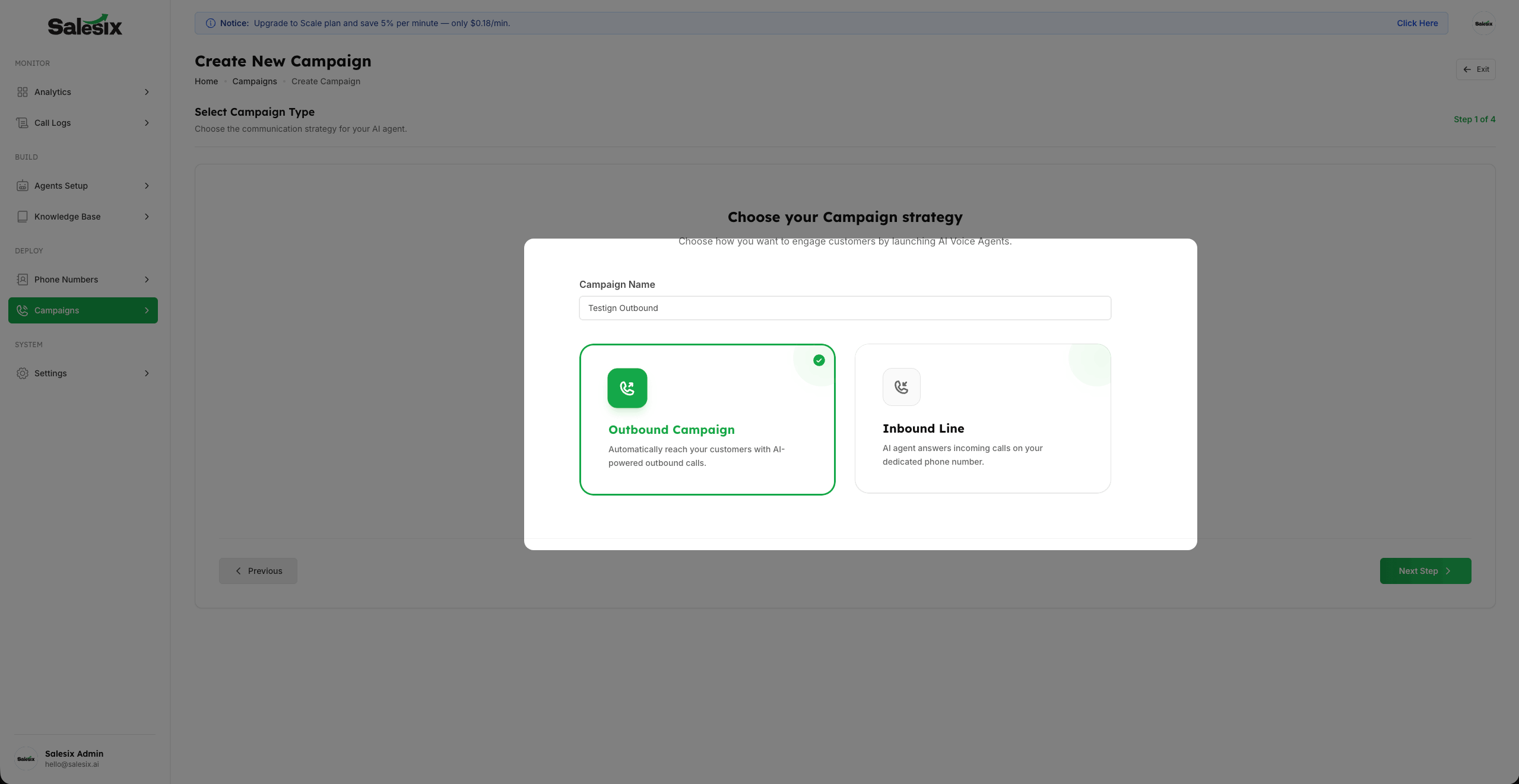
- 1
Start by clicking Create Outbound Campaign and defining your Campaign Name.
- 2
After naming, the next crucial step is selecting how you want to upload the contacts for bulk calling based on your Concurrency limits.
Data Source: CSV File Upload
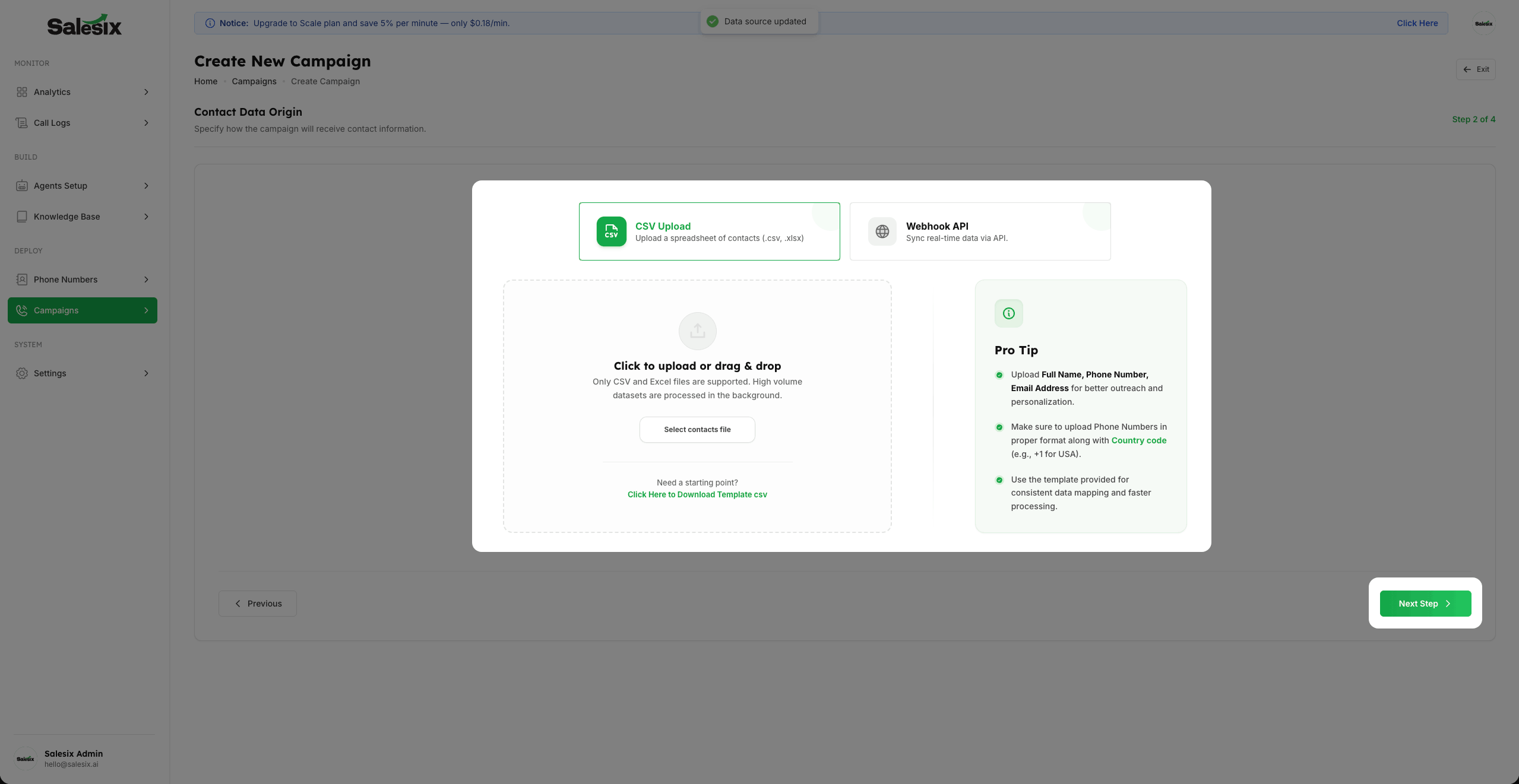
- 1
Upload your contacts via CSV File for traditional list-based reach. You can download the CSV Templates to ensure your data format is correct.
- 2
Fields like Phone Number, Email Address, and Full Name are mandatory for a successful upload.
- 3
You can also upload additional custom fields for your own reference or for the agent's context.
Data Source: Webhook Integration
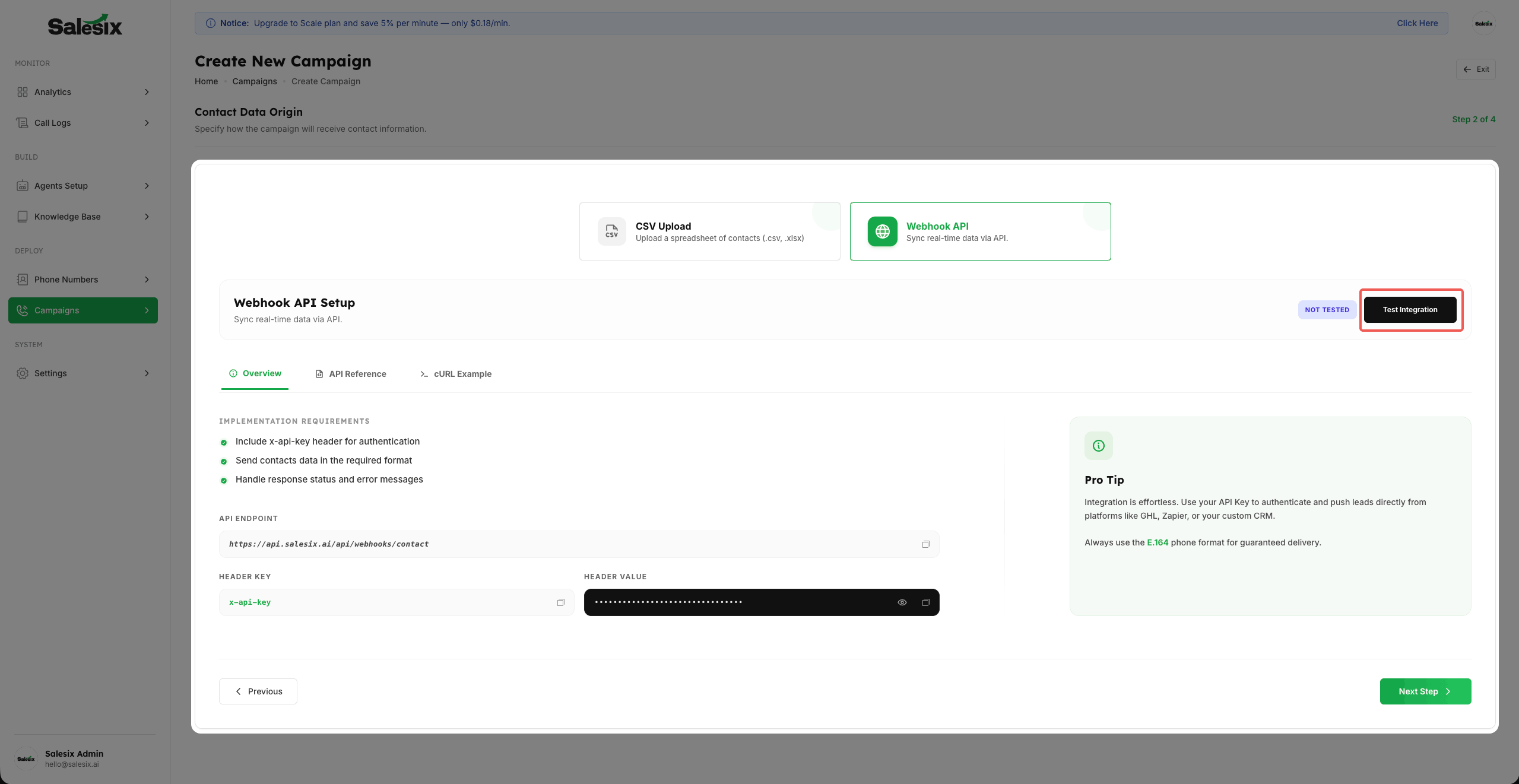
- 1
For real-time automation, use the provided Webhook URL. This can be integrated into your website or forms to automatically populate contact data.
- 2
We provide full Webhook Documentation and cURL examples to help you set up automatic, bulk calling triggers as soon as a lead is captured.
Campaign Contact Data
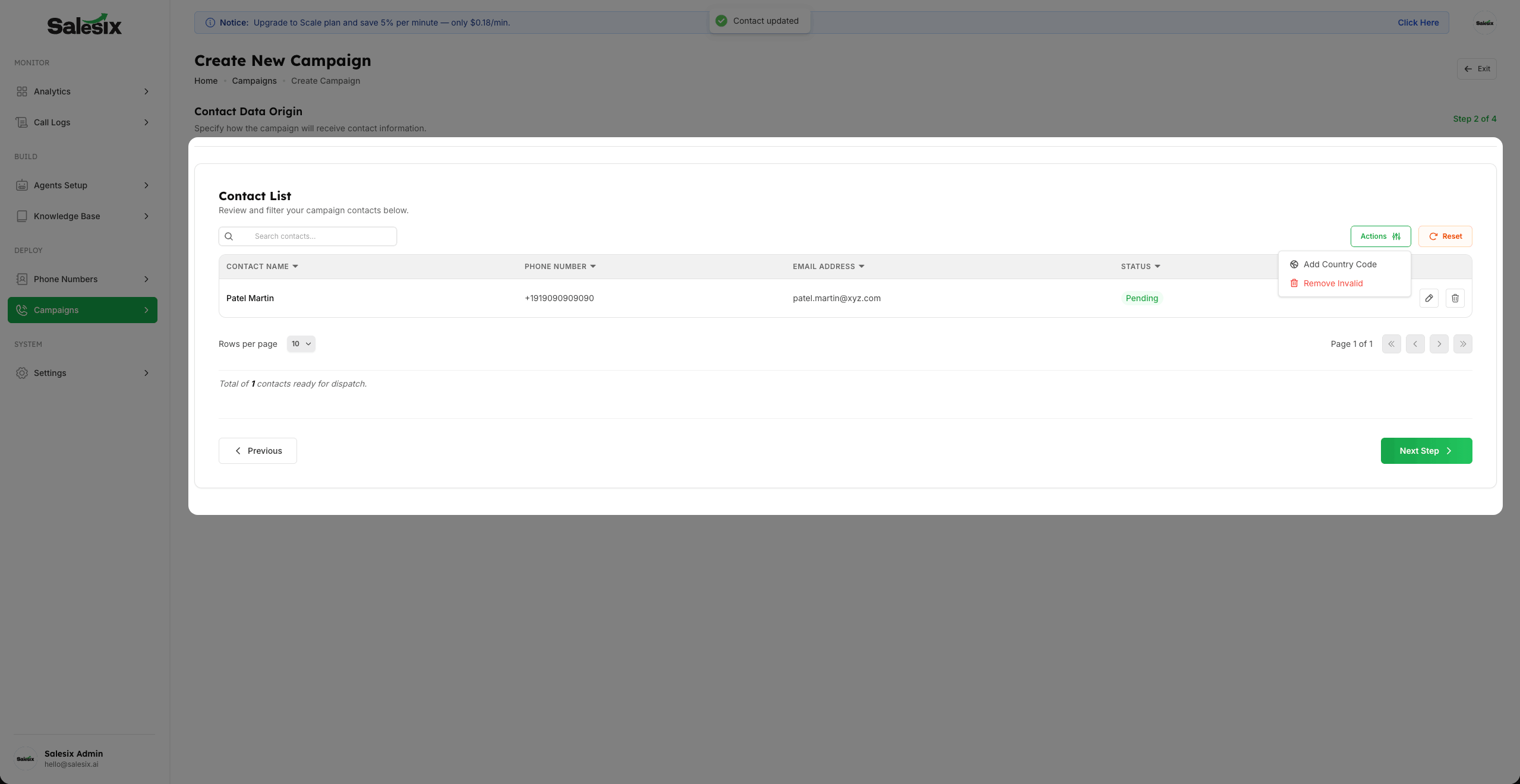
- 1
Once your contacts are uploaded, you can manage them directly within the Campaign Studio.
- 2
Use the Edit and Delete actions to refine individual list items or remove specific contacts before launching.
- 3
Utilize the Add Country Code tool to automatically prefix all numbers with the correct international code in bulk.
- 4
If you need to clear the entire list and start over, you can use the Reset Data option to remove all currently uploaded contacts.
Campaign Configuration
- 1
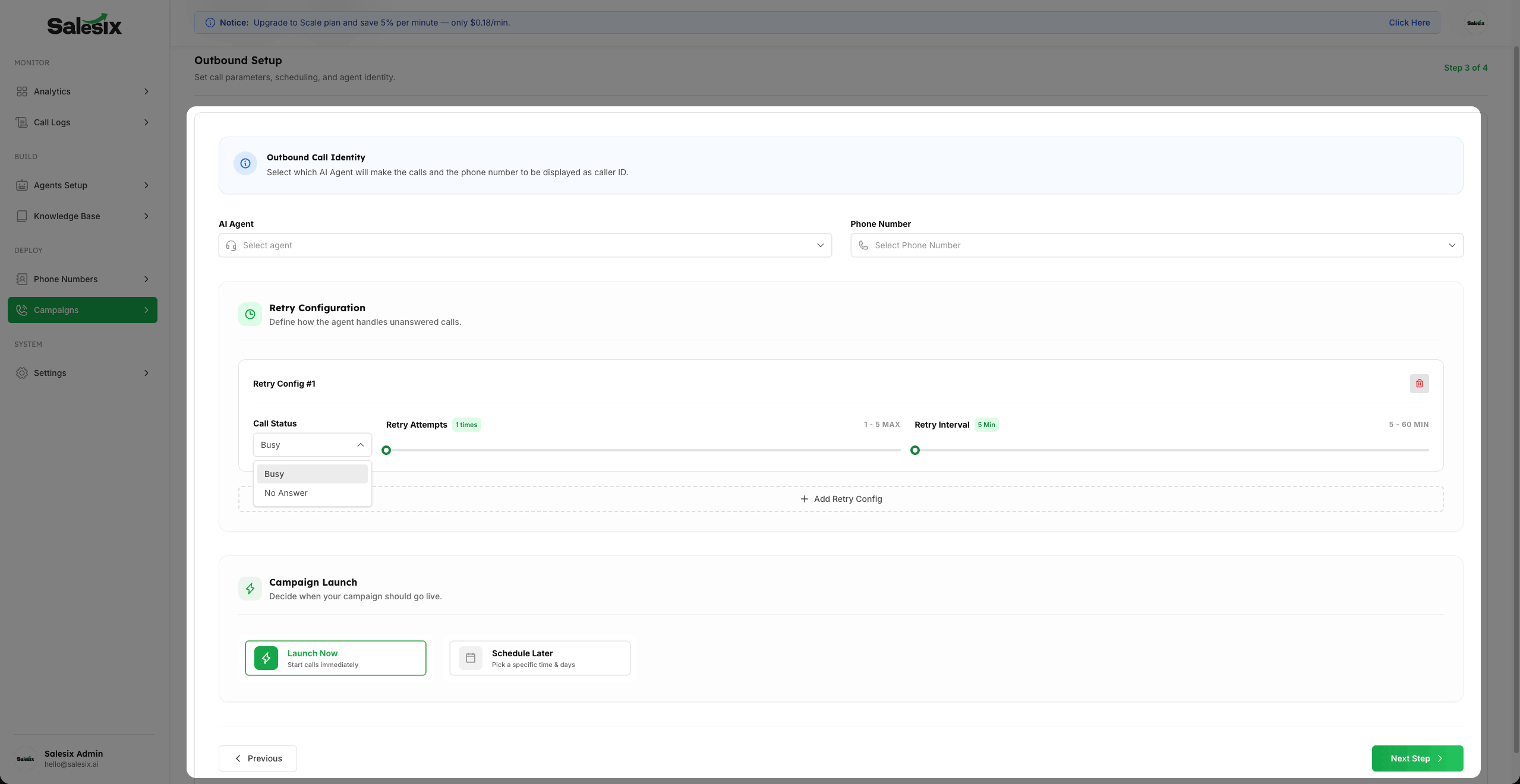
In the settings, select the AI Agent and the Outgoing Phone Number that will be displayed as the Caller ID.
- 2
Configure your Retry Logic based on the Status of the Call (e.g., retry if Busy or No Answer) to maximize reach.
- 3
Choose to either Schedule the campaign for a specific time window or Launch Immediately.
Final Review & ROI Estimation
- 1
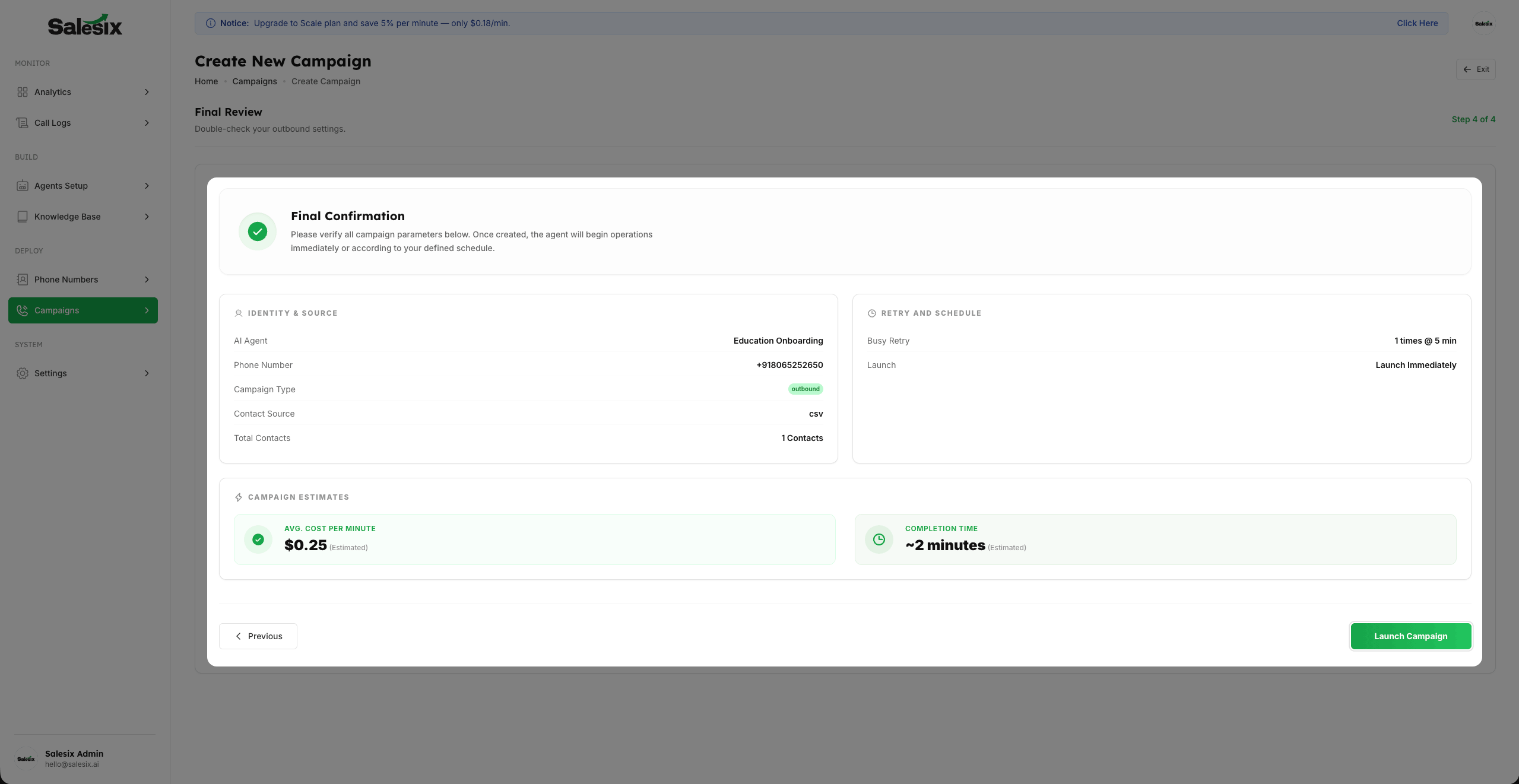
Verify all your configurations in the Final Summary screen before launching.
- 2
You can see the Estimated Time to complete the campaign and a baseline Per Minute Cost to manage your budget transparently.
Summary
Outbound campaigns empower you to reach your audience proactively. This setup allows you to automate bulk calling with sophisticated data handling and scheduling options.