

Advanced Configuration
Fine-tune latency, temperature, and specific guardrails to ensure consistent agent performance.
Functions Setup
- 1
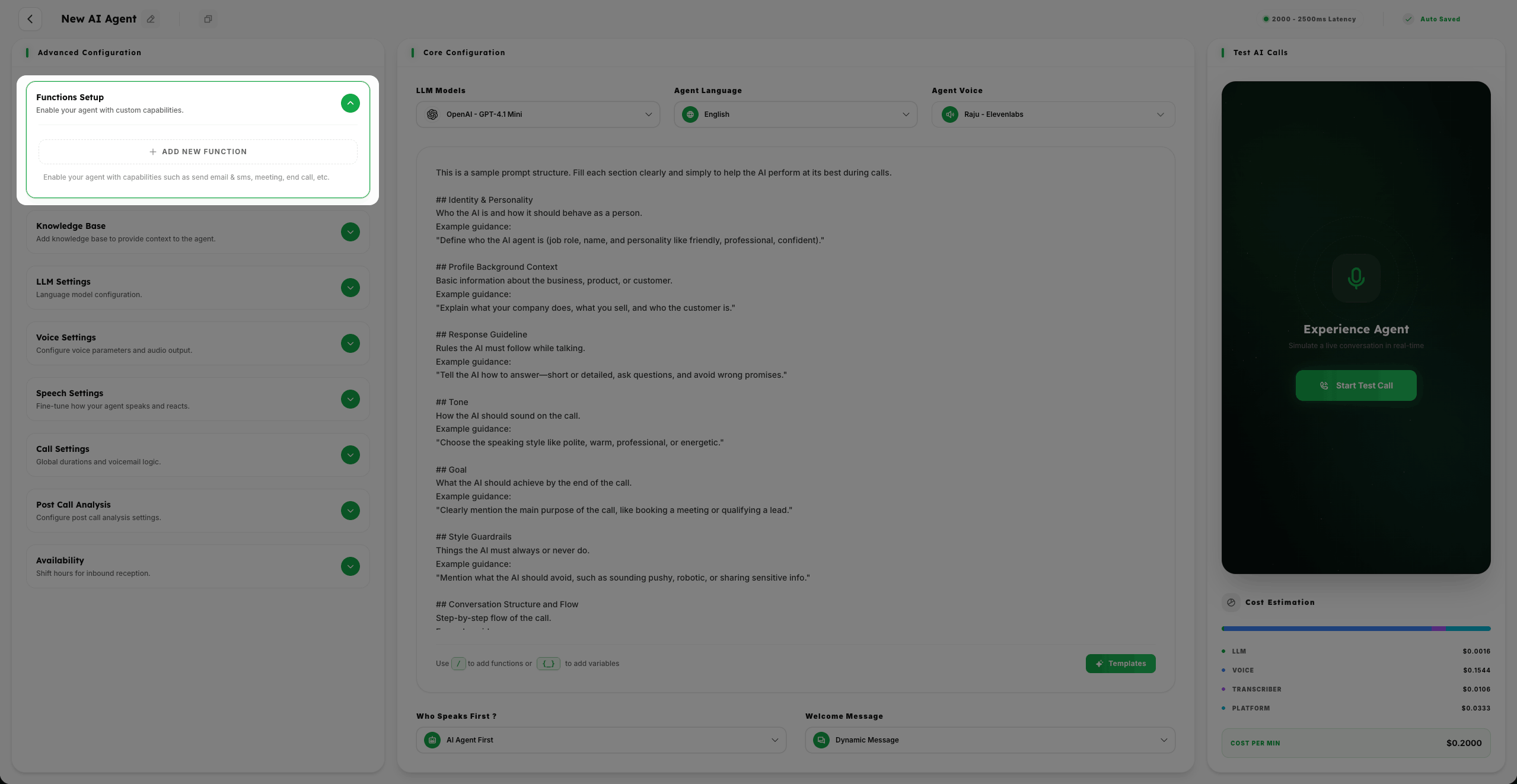
Enable your agent with custom capabilities by clicking on Add New Function.
- 2
Enable your agent with capabilities such as Send Email & SMS, Meeting, End Call, and more to take real-world actions during a conversation.
Knowledge Base
- 1
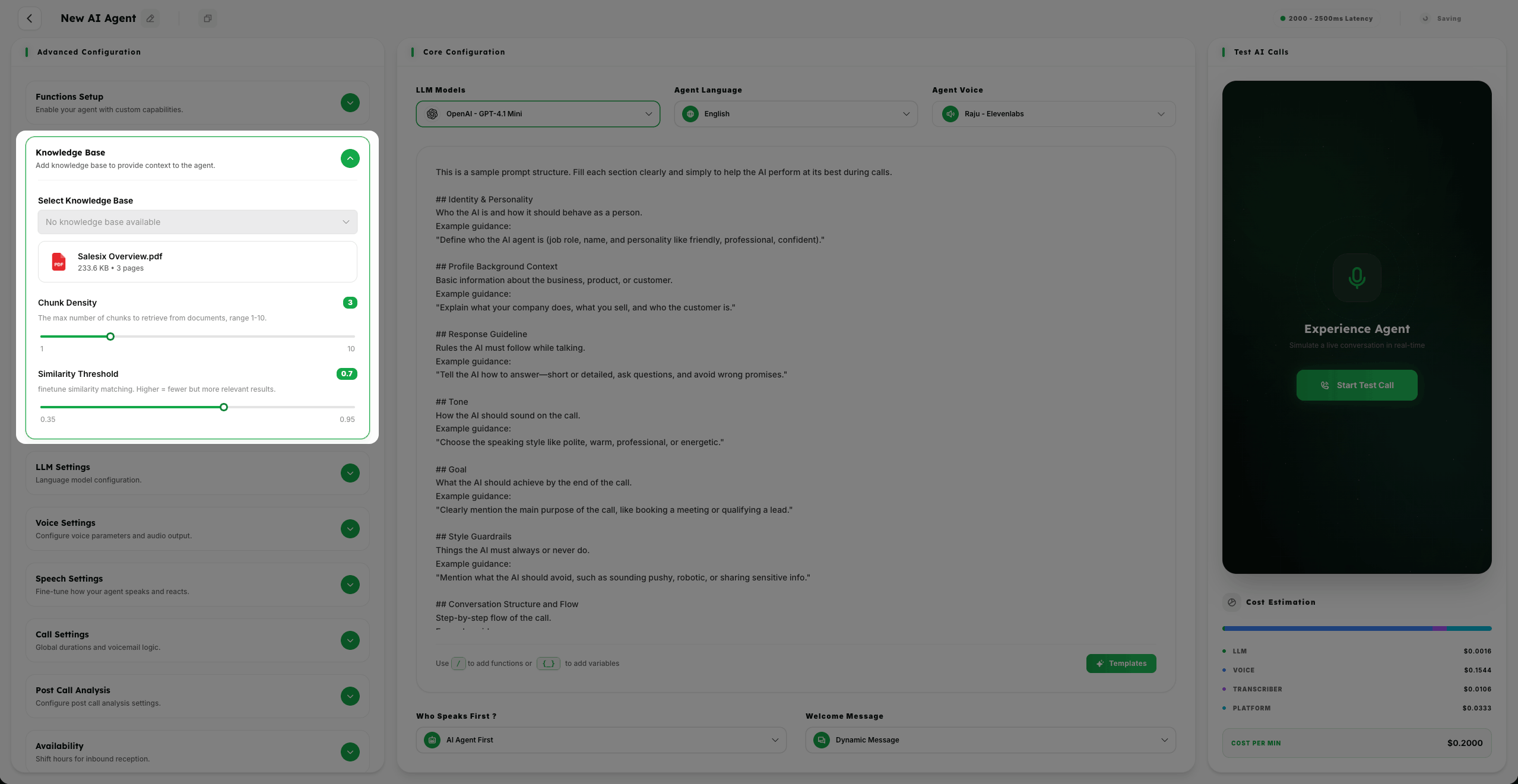
Add Knowledge Base to provide context to the agent. Click on Select Knowledge Base to choose from documents uploaded in Knowledge Base Management.
- 2
Configure Chunk Density (1-10) to determine the max number of chunks to retrieve from documents.
- 3
Configure Similarity Threshold (0.35 to 0.95) to finetune similarity matching. Higher values mean fewer but more relevant results.
LLM Settings
- 1
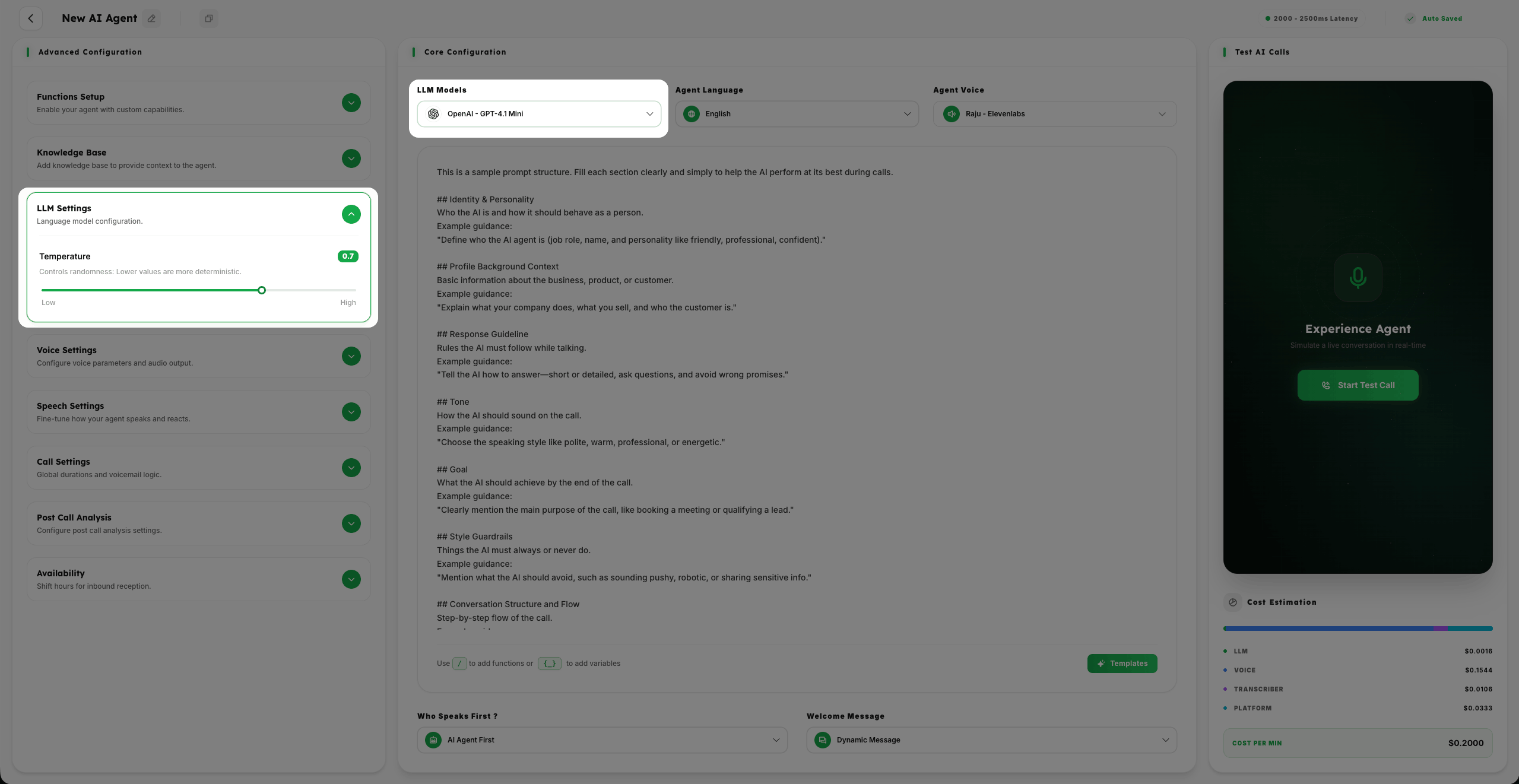
Language model configuration through LLM Settings.
- 2
Configure Temperature from Low to High to control randomness: Lower values are more deterministic and consistent.
Voice Settings
- 1
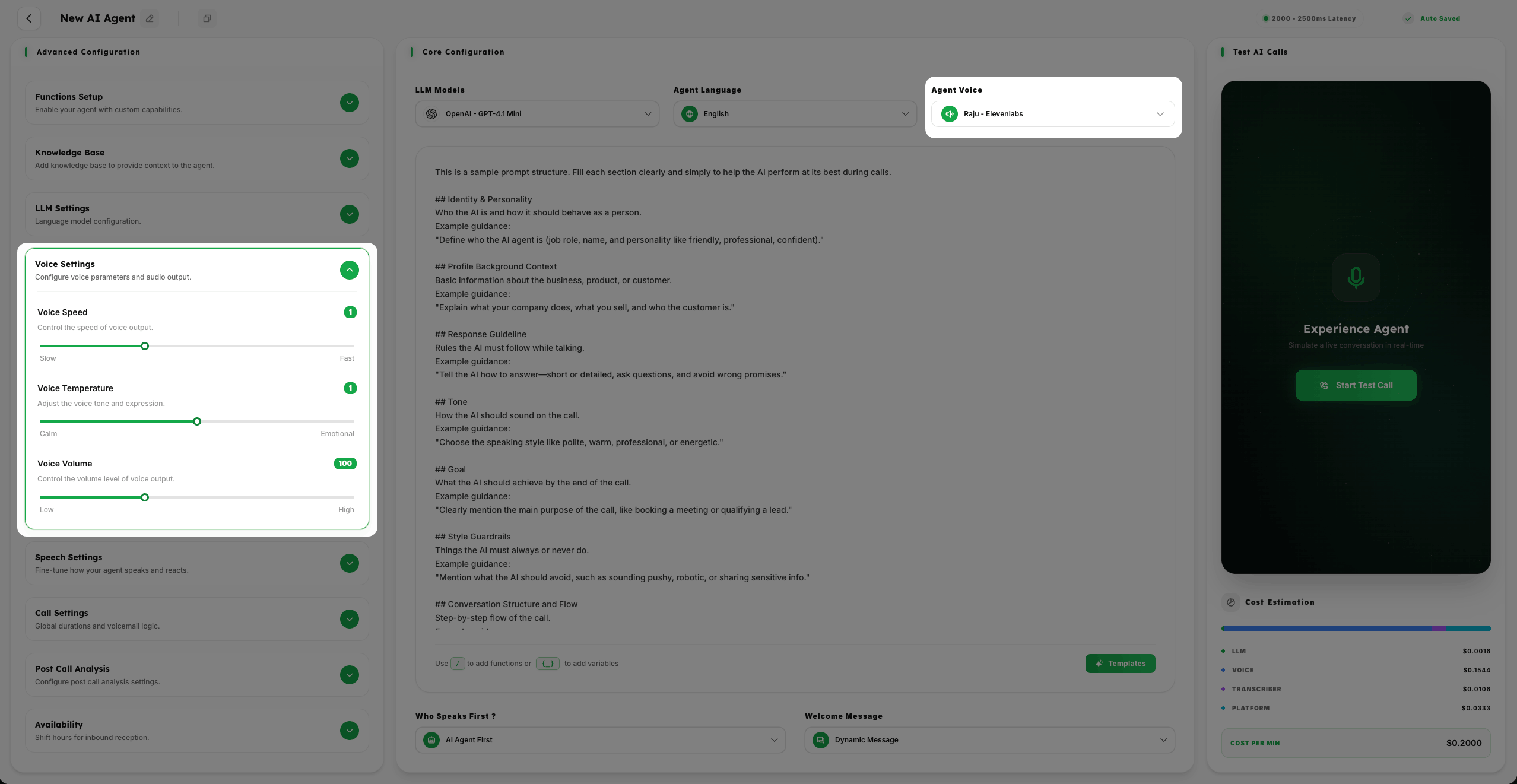
Configure voice parameters and audio output.
- 2
Configure Voice Speed (Slow to Fast) to control the speed of voice output.
- 3
Configure Voice Temperature (Calm to Emotional) to adjust the voice tone and expression.
- 4
Configure Voice Volume (Low to High) to control the volume level of voice output.
Speech Settings
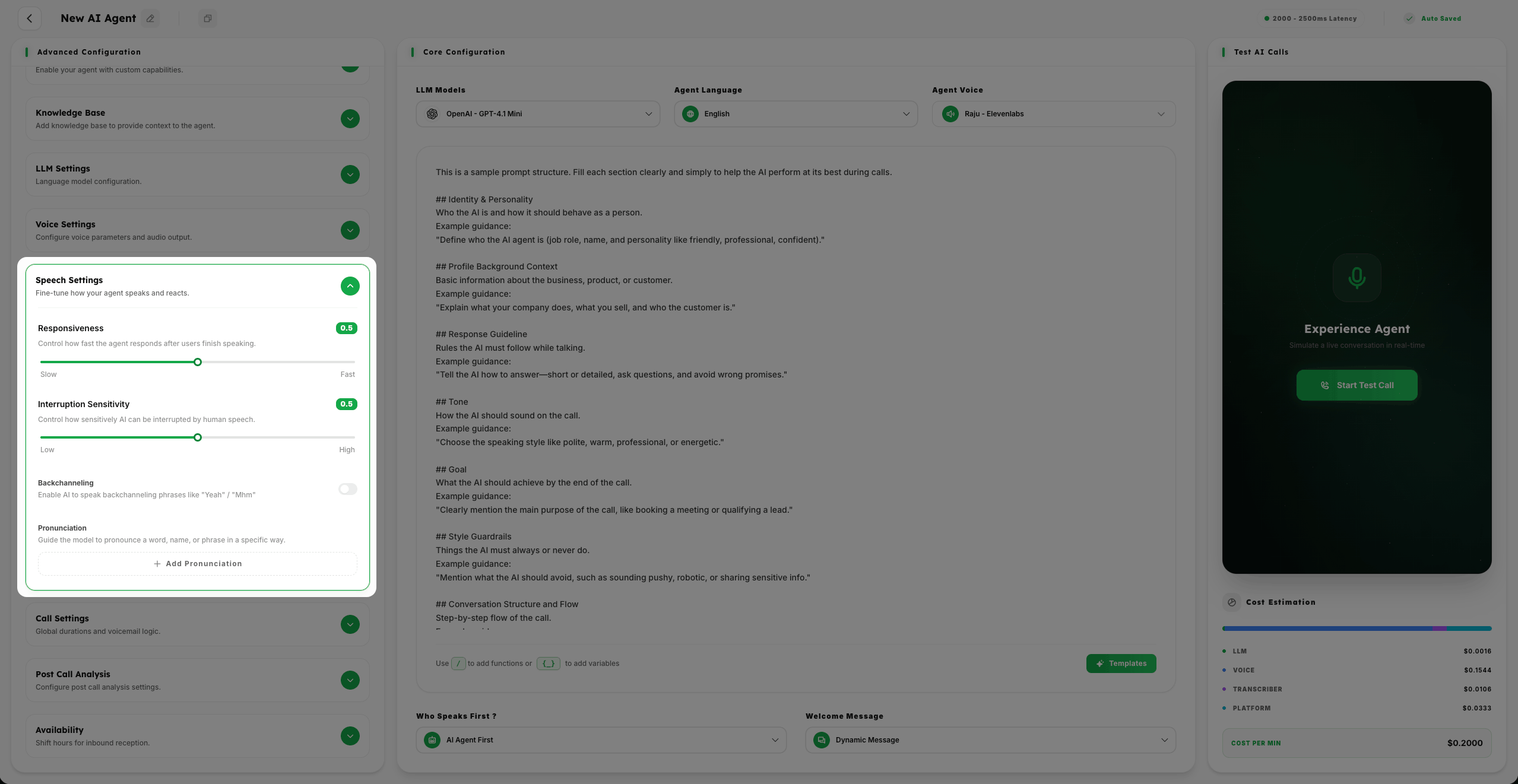
- 1
Fine-tune how your agent speaks and reacts.
- 2
Configure Responsiveness (Slow to Fast) to control how fast the agent responds after users finish speaking.
- 3
Configure Interruption Sensitivity (Low to High) to control how sensitively AI can be interrupted by human speech.
- 4
Configure Backchanneling to enable AI to speak phrases like "Yeah" / "Mhm".
- 5
Configure Pronunciation to guide the model to pronounce specific words by clicking on Add Pronunciation.
Call Settings
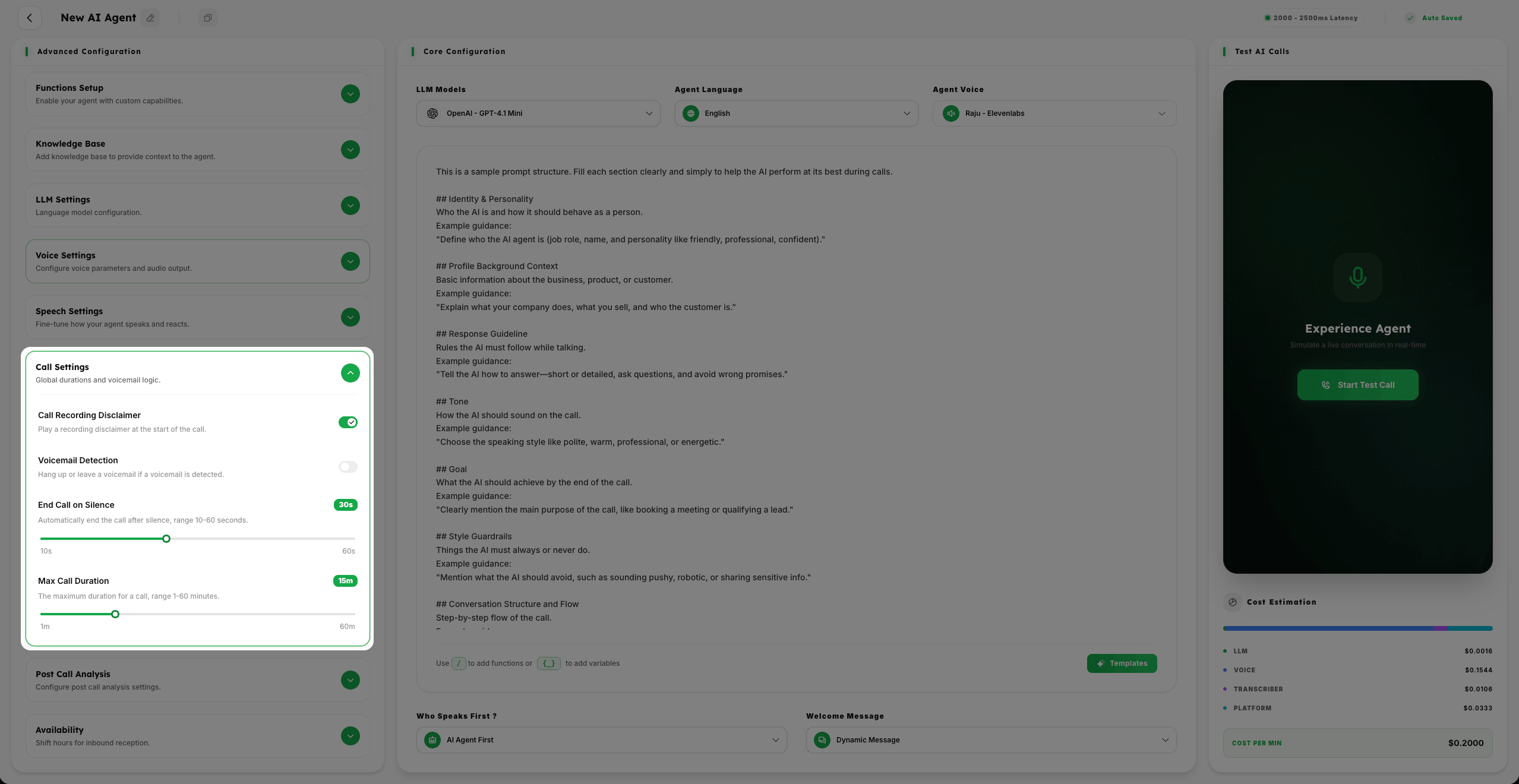
- 1
Global durations and voicemail logic.
- 2
Configure Enable and Disable Call Recording Disclaimer to play a disclaimer at the start of the call.
- 3
Configure Enable and Disable Voicemail Detection; if enabled, hang up or leave a custom message if a machine is detected.
- 4
Configure End Call on Silence (10-60 seconds) and Max Call Duration (1-60 minutes) for operational control.
Configure Availability
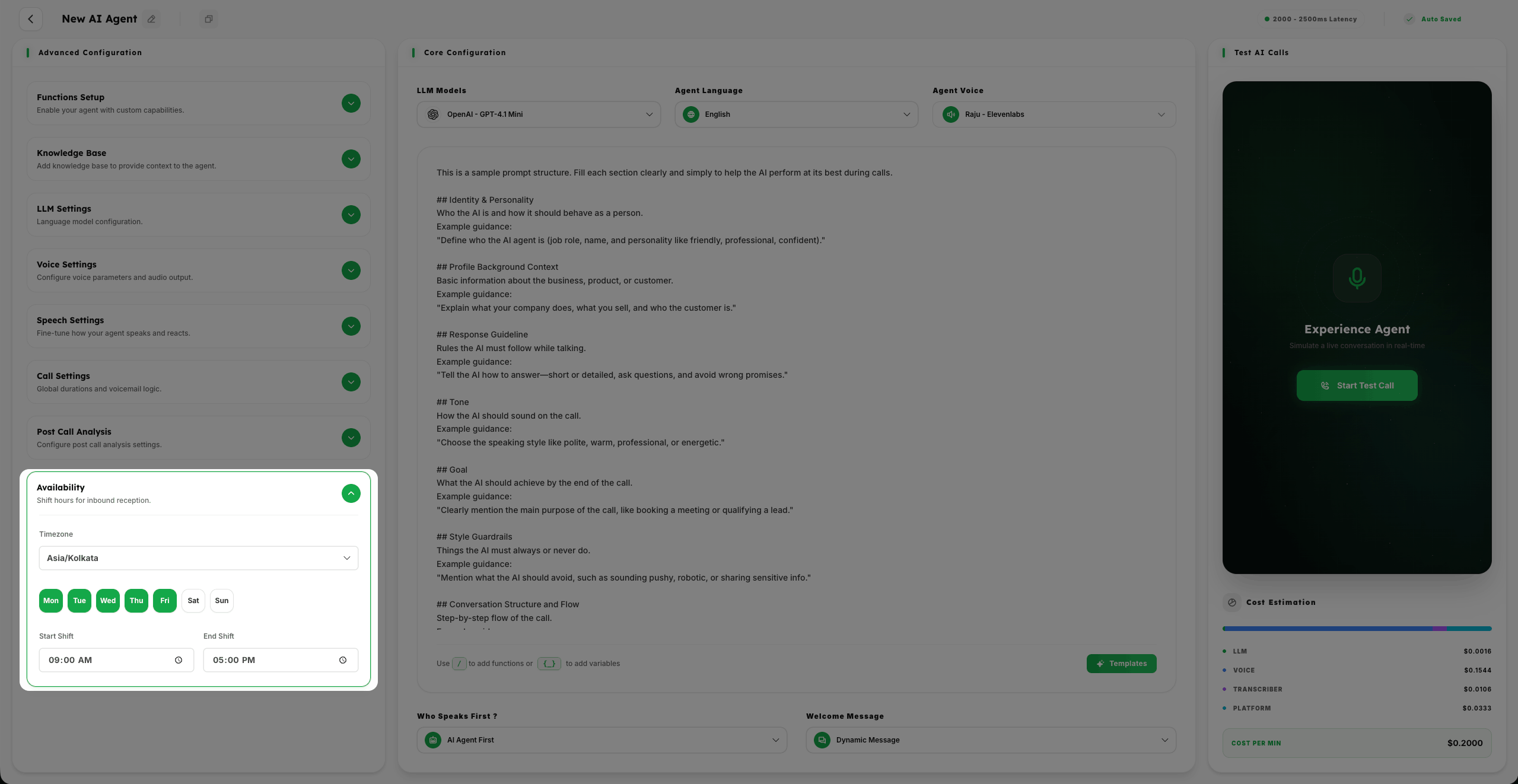
- 1
Shift hours for inbound reception by Selecting Timezone, Week days, and Time duration.
- 2
Ensure your AI agent is active exactly when your business needs it to be.
Summary
Advanced configuration allows you to dive deep into the technical and behavioral personality of your agent. From enabling custom functions to fine-tuning speech nuances, these settings ensure your agent performs with peak efficiency and brand alignment.