

LLM, Language & Voice Configuration
Configure the brain, communication language, and vocal identity of your AI agent.
LLM Model Selection
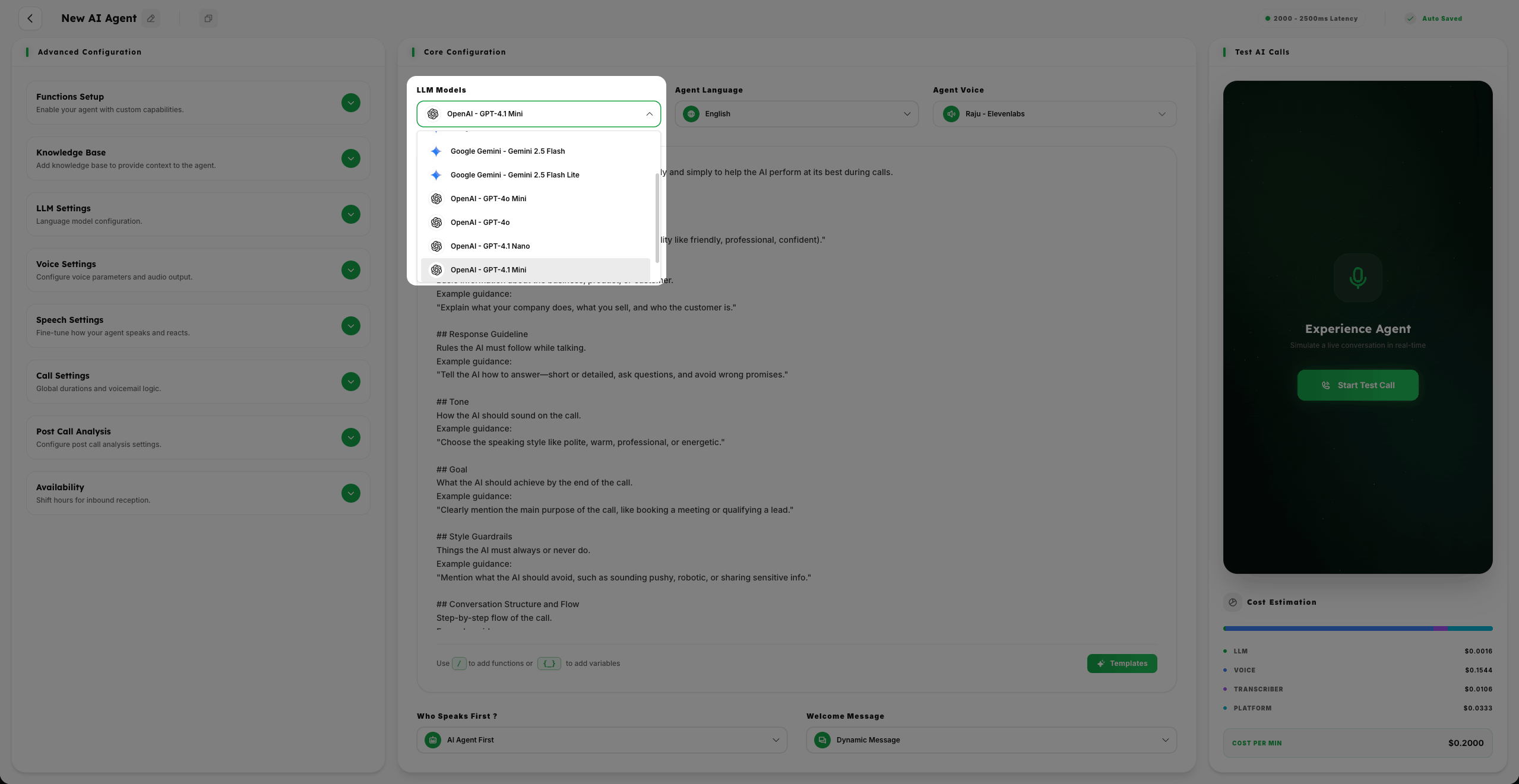
- 1
Based on the Complexity of the Usecase of your business or operation need. You can select the AI Model you want to use.
- 2
Choose Fast models for low-latency, straightforward interactions or Advanced models for deep reasoning and complex operations.
- 3
The platform allows you to balance performance and intelligence depending on your specific operation requirements.
Select Language
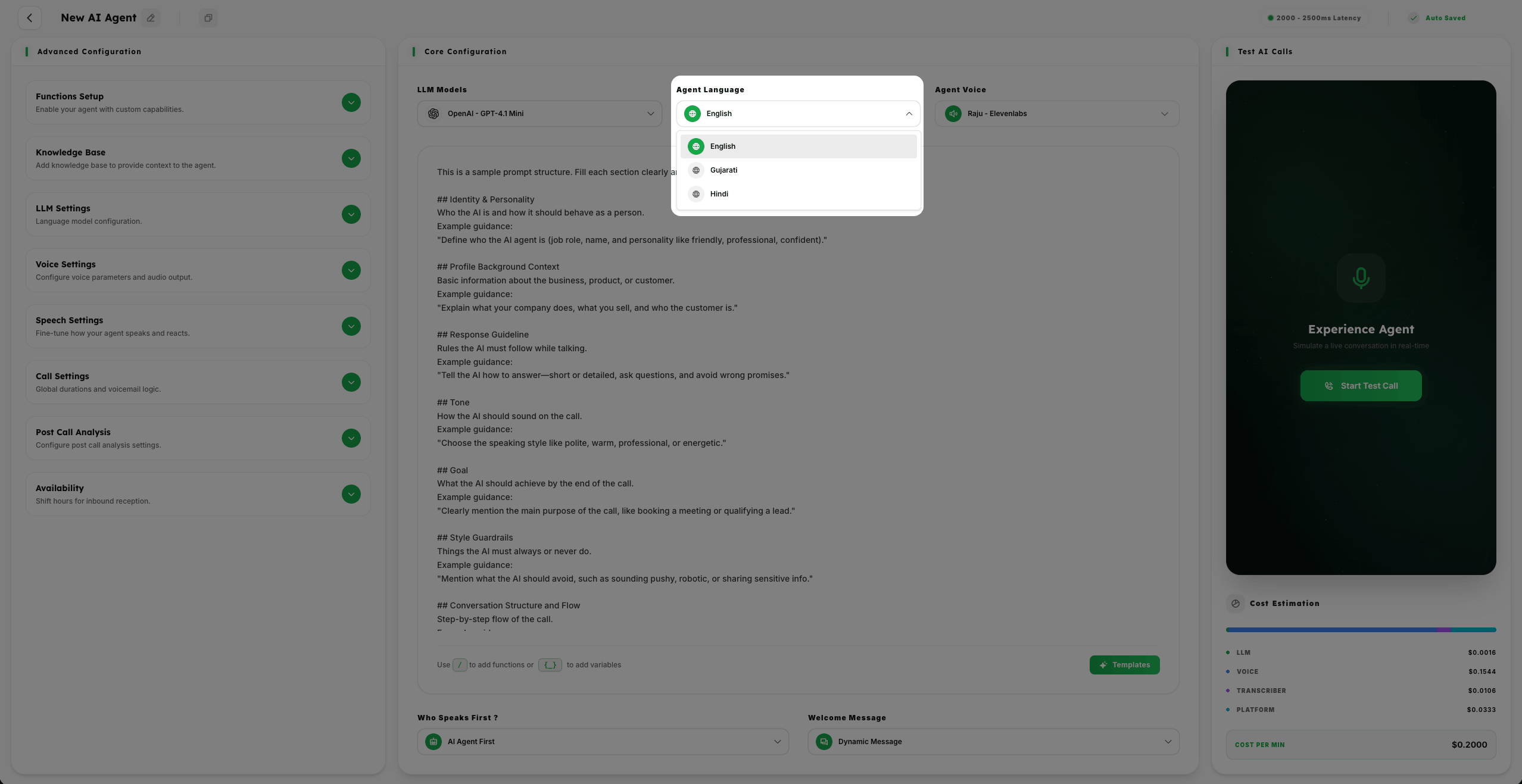
- 1
Select the Language First in which You want your AI Agent to communicate with your customers.
- 2
Choose from 50+ supported languages to ensure a local and relatable experience for your callers.
Select AI Voice
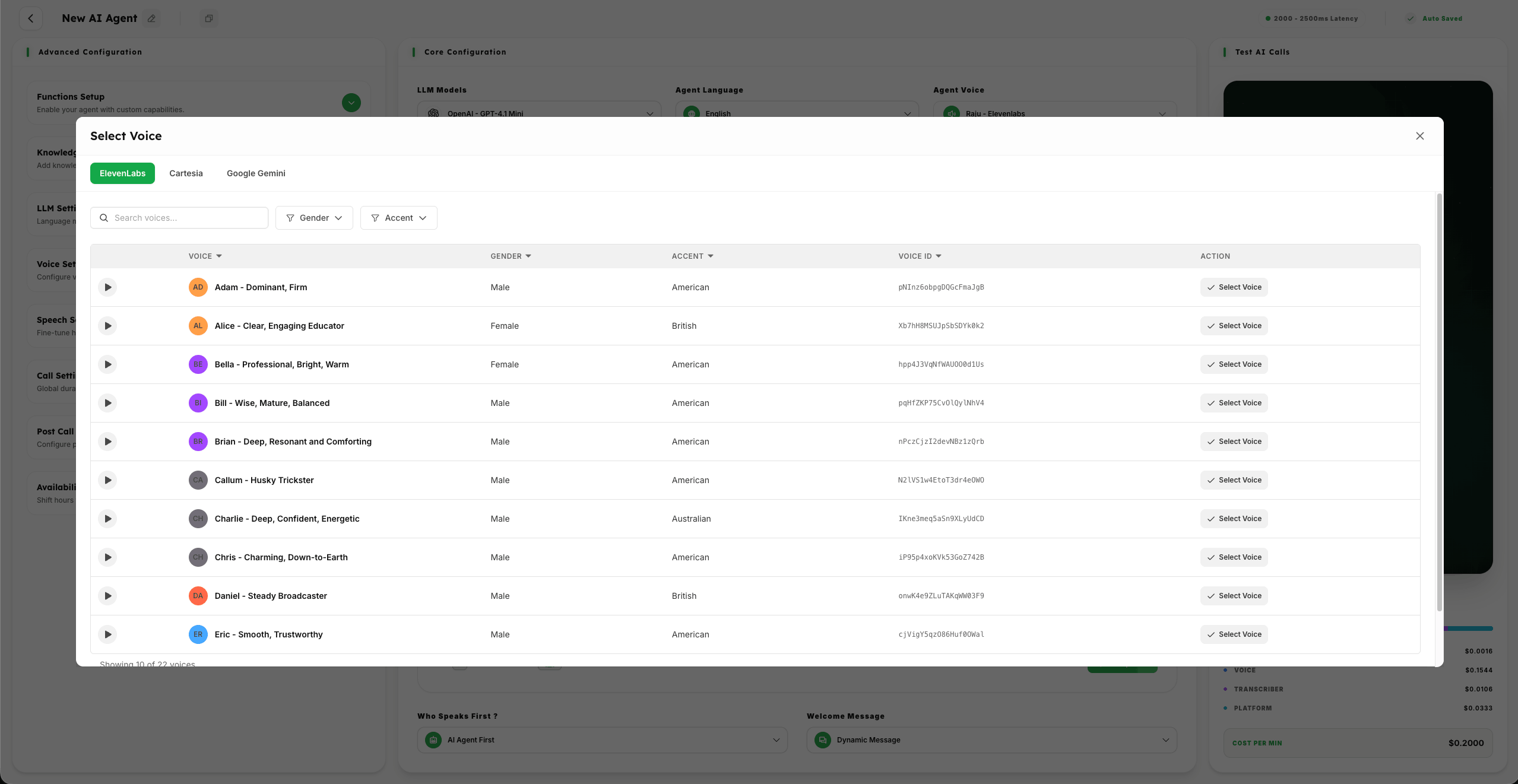
- 1
Select from 1000+ AI Voices from Multiple AI Voice Providers based on your business needs.
- 2
Preview different voices and accents to ensure the Vocal Identity resonates with your brand personality.
Summary
The combination of LLM model, language, and voice selection forms the core identity of your AI agent. Fine-tuning these settings ensures your agent communicates naturally and effectively with your target audience.